
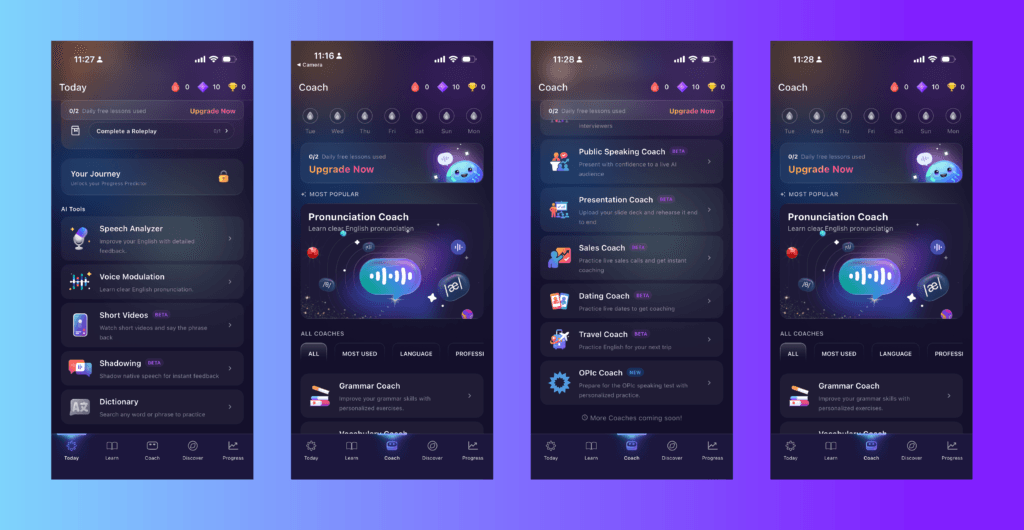
ELSA Speak is worth considering when students need focused pronunciation practice between lessons. It becomes more useful when the teacher connects that practice to something students actually need to say.
However, recommending an individual app is different from adopting a classroom platform. Teachers need to know which activities to use, what students can manage independently, and whether school-level monitoring is included.
This review evaluates ELSA’s documented features from a classroom-planning perspective. The suggested activities below are teaching examples, not results from a controlled classroom trial.
The Short Answer
ELSA is a reasonable option for learners who can listen to a model, record themselves, interpret feedback, and try again.
It is less straightforward for young children working independently, classes without suitable devices, or teachers expecting a pronunciation score to replace listening to students.
The most important distinction is between ELSA Speak for individual practice and ELSA Schools for institutional use.
Which ELSA Feature Should You Use?
| Your teaching goal | Feature to explore | What to do with it |
|---|---|---|
| Practise a particular pronunciation difficulty | Pronunciation lessons | Listen to the model, record, compare, and retry |
| Rehearse a communicative situation | ELSA AI role-play | Choose or describe a scenario, converse, then review feedback |
| Organise practice across a class | ELSA Schools | Evaluate assignment tools, class management, and progress reports |
ELSA documents model-audio comparison in its pronunciation feedback guide, scenario practice on its ELSA AI page, and institutional features on its Schools page.
Feature names and availability may vary across versions and subscriptions. Preview the activity in the account students will actually use.
1. Pronunciation Lessons: Work on a Specific Need
ELSA’s pronunciation activities let learners compare their recorded speech with model audio and receive feedback on aspects of their pronunciation.
For teaching, the useful part is not simply obtaining a score. It is giving students a concrete opportunity to hear a difference and respond to it.
Example: A Student Struggles With Final Consonants
Start with an issue you have heard in the student’s speech — not an assumption based on their first language.
- Choose relevant practice from the available lesson content.
- Let the student hear the model before speaking.
- Ask them to notice the ending of the word.
- Have them record and replay their response.
- Compare the recording with the model.
- Select one adjustment and try again.
Then ask the student to use a practised word in an original sentence.
A useful reflection question is:
Can you hear the ending more clearly in your second attempt?
This keeps attention on the sound rather than the number on the screen. ELSA’s feedback explanation describes the recording-and-model comparison that supports this activity.
Do not assume every lesson allows teachers to enter any word or sentence they want. Check the available content and customisation options before promising practice tied to a specific textbook list.
2. ELSA AI Role-Play: Rehearse a Situation
Pronunciation practice and conversational practice serve different purposes.
A pronunciation lesson gives students a defined target. A role-play requires them to choose language while responding to another speaker.
ELSA AI supports recommended scenarios and scenarios created by describing the situation. It also provides feedback after the role-play.
Example: Asking for Clarification
If custom scenarios are available in your account, try:
Prepare students with expressions such as:
Could you repeat that, please?
What time does breakfast finish?
Do you mean eleven in the morning?
After the role-play, ask students to choose one useful point from the feedback. Then repeat the situation with a classmate, changing the details.
The goal is not to memorise the AI conversation. It is to use clarification strategies when the next response is less predictable.
Treat scenario instructions as guidance, not guaranteed behaviour. Preview the interaction before assigning it, especially to less confident learners.
3. ELSA Schools: Check the Classroom Features Separately
Downloading the individual app does not automatically give a teacher access to students’ accounts or a shared dashboard.
ELSA Schools advertises class management, assignments, curriculum-related practice, and progress reporting.
Before adopting it, ask for a demonstration using a sample from your own curriculum. Check:
- How teachers create and assign activities
- Whether students can access the intended pronunciation lessons
- What teachers can see beyond completion and scores
- Whether individual recordings can be reviewed
- How accounts, devices, and student data are managed
- Which features are included in the proposed agreement
A dashboard can help organise follow-up, but it should not become the only evidence of learning.
For example, if a report suggests difficulty with a pronunciation feature, ask students to use it in a short classroom task. Listen before deciding what to reteach.
How ELSA Fits Different Teaching Settings
Private Tutoring
Tutoring provides a straightforward way to connect automated feedback with teacher judgment.
Ask the learner to complete a short, relevant activity before the lesson. During the lesson, have them say the target language again and discuss anything they found difficult.
Finish with an original response rather than another repetition of the same sentence.
You do not necessarily need institutional reporting for one learner. Direct observation and a short practice log may be enough.
Small Groups
Give learners a shared speaking goal while allowing different practice targets.
For a short self-introduction, one learner might work on important word endings, another on word stress, and another on speaking in manageable phrases.
Bring the group together afterward. Ask listeners what they understood and where clarification was needed.
Whole Classes
Demonstrate the activity before students begin independently. Plan for headphones, microphone access, background noise, and students who need help navigating the app.
If devices are limited, consider a supervised practice station rather than making every student record at once.
Provide an alternative route to the same learning goal for students who cannot use the service. A school-approved recording activity with teacher feedback can still support meaningful practice.
Is ELSA Suitable for Children and Beginners?
Do not use a single age or CEFR cutoff as the answer.
A beginner may benefit from short, supported pronunciation practice. A more advanced learner may still find detailed feedback difficult to interpret.
Consider whether the learner can:
- Understand the activity instructions
- Recognise the meaning of the target language
- Listen before recording
- Identify one useful correction
- Try again without becoming discouraged
For young children, begin with teacher-led listening, pictures, gestures, and short spoken responses. Independent app navigation should not become the main challenge.
ELSA markets its Schools offering to educational institutions, including K–12 settings. That does not mean every activity in the individual app is appropriate for every child. Check current age requirements, school approval, and consent arrangements before creating accounts.
What ELSA Does Not Replace
Teacher Judgment
A highlighted pronunciation difference is a starting point for review.
Ask whether you can understand the learner, whether the intended meaning is clear, and whether the same issue appears outside the exercise.
Avoid making automated scores the sole basis for grades or publicly comparing students’ results.
Human Interaction
Students still need practice with real listeners who have different voices, expectations, and responses.
Connect app practice to pair work, group discussion, presentations, or everyday conversation.
A Complete ESL Curriculum
ELSA includes speaking activities beyond isolated pronunciation drills. Nevertheless, it should support — not define — the whole programme.
Teachers still need to plan reading, writing, listening, vocabulary, interaction, and assessment around their learners’ goals.
An Accent-Erasing Goal
An accent is not, by itself, a communication failure.
Choose corrections because they help the student communicate, not because every difference from the model must disappear.
Pricing and Access
Check ELSA’s current individual subscription options or contact ELSA Schools for institutional arrangements.
Before recommending a purchase, confirm the included activities, renewal terms, cancellation process, and whether school access is separate.
Avoid making a personal paid subscription a condition of participation unless the institution has explicitly arranged access and an appropriate alternative.
Final Verdict: Is ELSA Worth It?
ELSA is worth evaluating when you have a specific pronunciation or speaking goal and a clear plan for reviewing the practice.
Start with one activity:
- Identify a genuine learner need.
- Select the relevant pronunciation lesson or role-play.
- Prepare students before independent practice.
- Review one useful improvement.
- Use the language with another person.
Judge the result by what students can hear, change, and communicate — not only by whether their scores increase.
For other classroom options, see our guide to AI pronunciation tools for ESL teachers.