
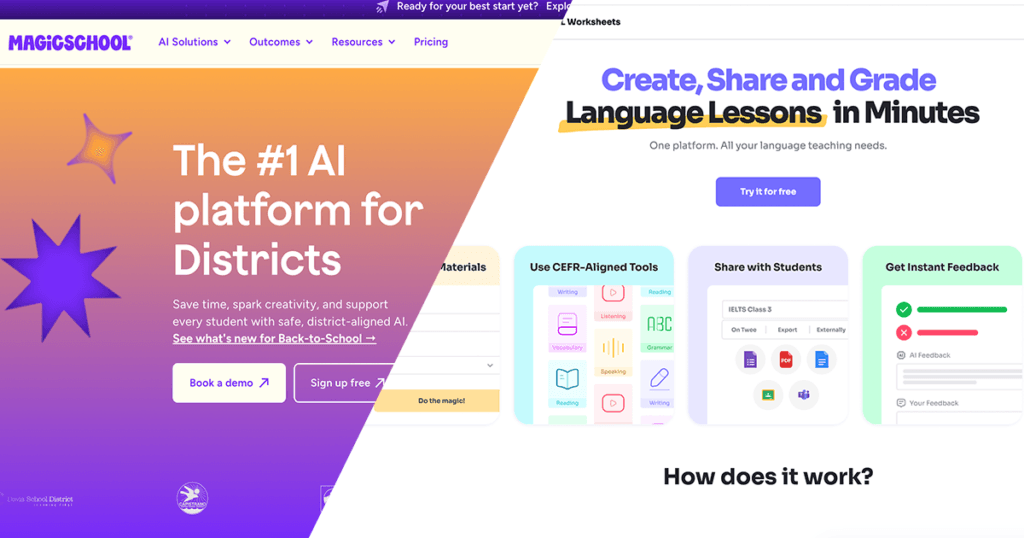
When choosing between MagicSchool AI and Twee, start with the work you need help with.
Do you need a lesson structure, a reading passage, a listening activity, or a progress report? These are different tasks, even when they belong to the same teaching week.
Both platforms can support ESL teaching. The useful distinction is their focus: MagicSchool covers a broad range of teaching and school tasks, while Twee organizes its tools around language-learning activities.
This guide compares their documented features and suggests practical classroom workflows. It is not a controlled test of which platform generates better materials.
The Short Answer
Consider Twee first if most of your preparation involves language activities: dialogues, vocabulary practice, reading questions, and listening tasks.
Consider MagicSchool first if your work extends across lesson planning, worksheets, assessment, feedback, and school communication.
There is overlap. MagicSchool can create language worksheets, and Twee can provide complete lessons and student assignments. Neither should be reduced to “administration only” or “worksheets only.” See the official MagicSchool tool directory and Twee platform overview.
| Your immediate need | A useful starting point |
|---|---|
| A structured lesson plan | MagicSchool’s Lesson Plan Generator |
| A dialogue using target expressions | Twee’s Create a Dialogue on Any Topic |
| A customized worksheet | MagicSchool’s Worksheet Generator or a specific Twee exercise tool |
| Questions for an audio or video source | Twee’s Audio & Video Question Creator |
| An existing language lesson to adapt | Twee’s ESL Lesson Plans library |
| Teacher-guided student AI interaction | MagicSchool’s MagicStudent |
1. Planning a Lesson: Structure or Ready-Made Content?
MagicSchool’s Lesson Plan Generator starts with your instructional goal. Provide the subject, learner context, available time, and any curriculum requirements, then review the proposed lesson.
For ESL teaching, include more than an age or grade. Explain the students’ English proficiency, target language, and what they should be able to do by the end.
Twee offers another starting point: its ESL Lesson Plans library. You can filter existing lessons by CEFR level, age, skill, topic, duration, and individual or group format.
These are different workflows:
- MagicSchool: describe your objective and generate a plan.
- Twee’s library: find an existing lesson and adapt it.
- Twee’s individual tools: create selected activities for your own lesson.
A plan is not necessarily a complete set of student materials. Check what you still need to prepare before teaching.
2. Creating Worksheets: Choose the Activity First
MagicSchool’s Worksheet Generator can create reading passages, vocabulary activities, comprehension questions, and gap-fill exercises. Enter the topic or source text, then specify the activity types and language demands.
It is useful when you want several components in one draft — for example, a short workplace reading followed by vocabulary and comprehension tasks.
Twee separates many of these jobs into individual tools:
- Create a Text on Any Topic with Your Vocabulary: build a reading around a topic and selected language.
- Create Open Questions for a Text: generate questions based on the passage.
- Fill in the Gap: select words or phrases in a text and turn them into blanks.
Twee’s approach can be convenient when you already know exactly which exercise you need. MagicSchool’s broader worksheet format can be useful when you want to describe the complete handout.
With either platform, check the instructions, question quality, and answer key. An attractive worksheet can still contain ambiguous questions or unsuitable language.
3. Listening Activities: Start With the Recording
For an existing recording, Twee’s Audio & Video Question Creator accepts uploaded media or supported video links and generates open-ended, multiple-choice, or true-or-false questions.
A practical approach is to choose a short clip, generate questions, and keep only those that match your objective. Let students listen for the main idea before asking them to identify details.
MagicSchool also offers a YouTube Video Question Generator, which generates questions from a YouTube video’s closed captions. MagicSchool states that available closed captions are a prerequisite, so check the video before planning the lesson around it.
The distinction that matters educationally is not just which tool produces the questions. Students must actually hear the recording. Answering questions while reading a transcript is not the same task as understanding spoken English.
For a fuller classroom sequence, see Best AI Tools for ESL Listening Practice.
4. One Lesson, Two Practical Workflows
Suppose you are preparing a 45-minute lesson for B1 adult learners.
Shared objective: Students answer common job-interview questions and support an answer with one relevant example.
The following are suggested workflows, not reports of tested outputs.
Using MagicSchool
- Open Lesson Plan Generator. Specify B1 adults, the lesson length, and the interview objective. Request modeling, guided practice, and a final pair interview.
- Use Worksheet Generator to draft a short model exchange and a planning sheet for students’ answers.
- Review the language and simplify any instructions that are harder than the interview task itself.
A useful instruction to include is:
Using Twee
- Open Create a Dialogue on Any Topic. Enter a job-interview situation, select B1, and include target expressions such as “I have experience in…” and “For example…”.
- Use Fill in the Gap to remove selected expressions from the reviewed dialogue.
- Let pairs complete the model, then conduct a new interview using their own information.
The dialogue is a language model, not the final outcome. Students should eventually move beyond reading the generated exchange aloud.
In both workflows, success means students can communicate their own experience — not simply finish the worksheet.
5. Student Activities and Teacher Administration
Twee is not limited to teacher-only material creation. It supports interactive assignments shared with students and AI-assisted checking of responses. That makes it relevant to homework as well as lesson preparation. (Twee’s sharing and assessment features)
MagicSchool’s MagicStudent provides a different kind of student experience: teacher-managed AI tools and rooms, with visibility into student activity. This is not the same as sending students a worksheet link. (MagicStudent’s teacher controls)
Before choosing either, decide whether students need to:
- Complete a prepared activity.
- Receive feedback on a response.
- Interact with an AI tool.
Then check your school’s rules, account requirements, and privacy expectations. For younger children, teacher-led use of prepared materials may be more appropriate than independent account use.
MagicSchool also extends into tasks such as Report Card Comments, Writing Feedback, and Rubric Generator. These may matter if assessment and reporting take a substantial part of your week. (MagicSchool’s teacher tools)
Use your own observations as the basis for reports. AI should not invent evidence about a student.
Does Twee Guarantee CEFR Accuracy?
No CEFR label should replace teacher judgment.
Twee provides explicit CEFR choices in many language tools. MagicSchool can use the learner information and language requirements you supply. In either case, review:
- Vocabulary and sentence complexity
- Instructions and assumed background knowledge
- The amount of support students receive
- What students must actually say or write
A passage may be manageable while its questions are too difficult. A simple dialogue may also be inappropriate for adults if the situation or tone feels childish.
CEFR is a useful planning reference — not a guarantee that every generated activity fits your class.
Which Should You Choose?
Choose Twee when your main need is a particular language activity or an existing ESL lesson you can adapt.
Choose MagicSchool when you want support across planning, materials, assessment, reporting, and teacher-guided student AI use.
You do not need both simply because their features differ. Start with one recurring task and check whether the output is useful after your review. Add another platform only when it solves a clear problem.
For current access conditions and feature limits, use the official Twee pricing page and MagicSchool pricing page.
The better choice is the one that helps you prepare an appropriate lesson and gives students a meaningful opportunity to use English.