
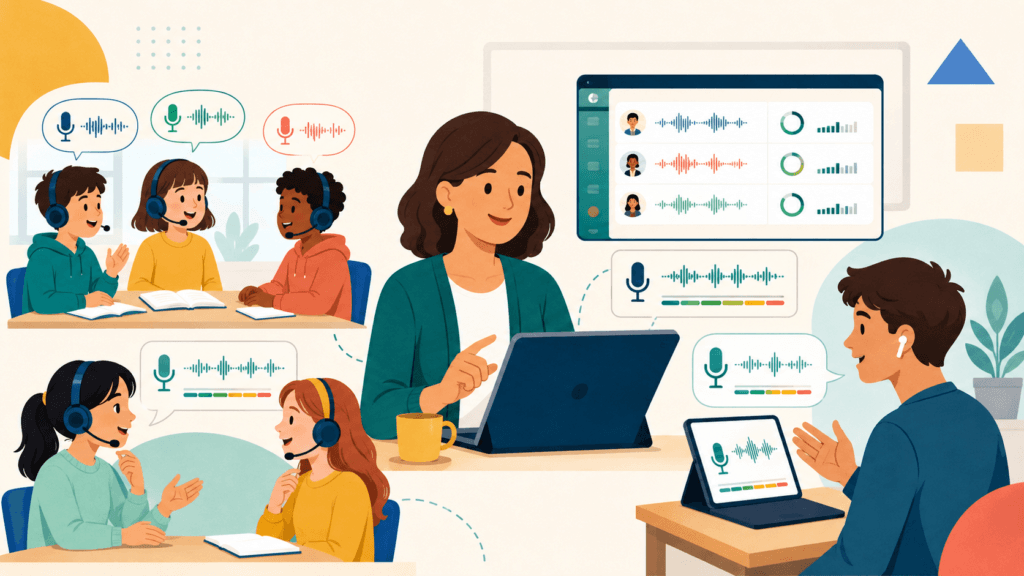
An AI pronunciation score can show students where to look more closely. It cannot replace a clear listening model, useful practice, or a teacher’s judgment.
For ESL lessons, start with a simple sequence:
The tools below support different parts of that process. Some provide ready-made video practice. Others help teachers create pronunciation activities from their own lesson content.
The aim is not to make every student sound identical. It is to help students speak clearly enough to communicate their meaning.
Which Tool Fits Your Lesson?
| Teaching need | Tool | Specific feature to explore |
|---|---|---|
| Practise expressions from a video | EnglishCentral | Watch, Learn, and Speak |
| Work on an individual pronunciation difficulty | ELSA Speak | Pronunciation lessons with model audio and recording comparison |
| Create practice from your own sentences | Sanako Connect | Pronunciation activity with automated grading |
| Add pronunciation assignments to an existing Moodle course | Speechace for Moodle | Read-and-practise and listen-and-practise questions |
These are recommendations by teaching situation, not a ranking based on comparative testing. Check the features included in your account before planning a lesson around them.
1. EnglishCentral: Practise Lines From a Video
EnglishCentral connects pronunciation practice to video content. Its Watch, Learn, and Speak sequence lets students watch a clip, study vocabulary, and speak lines with automated pronunciation and fluency feedback. See the official learning sequence.
What to use
Use Speak for focused pronunciation practice after students understand the video. Simply assigning a clip to watch does not give students the same speaking practice.
Example: Practising Interview Expressions
Choose an appropriate clip from the EnglishCentral video library, then build a short activity around a few useful expressions.
- Watch for meaning: What is the speaker explaining?
- Replay selected lines and ask students to notice one feature, such as word stress.
- Use Learn if unfamiliar vocabulary needs attention.
- Open Speak and have students listen before recording the selected lines.
- Review the feedback and repeat a difficult line.
- Finish with a partner interview using similar language and students’ own information.
The final step matters: repeating a prepared sentence and producing an original answer are different tasks.
EnglishCentral is worth considering when you want pronunciation, vocabulary, and listening connected to the same material. Preview clips for language difficulty and age suitability rather than relying only on a level label.
Check current subscription plans. For class management, confirm the teacher features and access arrangements your programme needs.
2. ELSA Speak: Focus on One Pronunciation Target
ELSA Speak can support individual practice when a learner needs help with a particular sound or pronunciation pattern.
In its pronunciation activities, learners can hear model audio, record themselves, and compare their recording with the model. ELSA describes this process in its pronunciation feedback guide.
What to use
Choose a relevant pronunciation lesson, rather than assuming an open-ended AI conversation will provide the same model-and-repeat experience.
Example: Working on /l/ and /r/
If a learner regularly confuses these sounds:
- Model the contrast and check whether the student can hear the difference.
- Select relevant practice in ELSA’s available lesson content.
- Ask the student to hear the model before recording.
- Replay the student’s recording and compare it with the model.
- Discuss one useful adjustment, then record again.
- Ask the student to use a practised word in an original sentence.
Use the automated feedback as something to investigate together — not as a verdict that every highlighted difference must be corrected.
Individual App or ELSA Schools?
Do not assume individual ELSA accounts provide a shared teacher dashboard.
ELSA Schools is the institutional offering, with class management and progress monitoring. Ask which assignment, reporting, and recording-access features are included before adopting it for a programme.
For tutoring, an individual account may be sufficient. Independent practice is more practical when students can understand instructions and interpret feedback; younger learners will usually need more guidance.
See ELSA’s current individual offers or request school pricing through the Schools page.
For a closer classroom discussion, read our ELSA Speak review.
3. Sanako Connect: Create Practice From Your Own Text
Sanako Connect is relevant when teachers want pronunciation practice based on the language already being taught.
Its Pronunciation activity, available through the content-authoring tools, converts supplied text into model speech. Students record responses and receive automated feedback; teachers can review recordings. See Sanako’s automated pronunciation grading feature.
What to use
Use Pronunciation activity for teacher-created listen-and-repeat practice. This is more specific than simply assigning students to “use Sanako.”
Example: Clarification Requests
Prepare a short set of expressions:
Could you repeat that, please?
Did you say fifteen or fifty?
Could you speak a little more slowly?
Then:
- Add the expressions to a Pronunciation activity.
- Preview the generated audio for pronunciation, pacing, and intended meaning.
- Introduce the expressions and model their use.
- Have students listen, record, compare, and retry.
- Review selected recordings alongside the automated results.
- Finish with a pair task that requires students to request clarification.
The generated model is text-to-speech audio, not a recording of a spontaneous human conversation. Preview it accordingly.
Sanako Connect is primarily worth evaluating for regular school or programme use. For occasional tutoring, the setup may be more than you need.
Explore Sanako Connect and request a demonstration or quotation.
4. Speechace for Moodle: Build Pronunciation Assignments
Speechace offers speech-assessment technology, but teachers need to distinguish its Moodle integration from its developer-facing API.
Speechace for Moodle lets teachers create pronunciation questions within an existing course. Its documentation describes both reading-based practice and activities where students hear the reference audio before seeing the answer text. Teachers can also review student recordings.
What to use
Use the SpeechAce question type inside a Moodle quiz. For listening-led practice, configure when the answer text appears.
The official Moodle documentation explains question creation, answer-text settings, and recording review.
Example: Practising Customer-Service Expressions
Once your school has installed and configured the integration:
- Create a short quiz using expressions from the current unit.
- Preview the reference audio.
- Configure the questions for reading support or listening-first practice.
- Have students record their responses.
- Review attempts and listen to selected recordings.
- Follow up with a customer-service role-play.
Listening and repeating checks something different from reading aloud, but neither alone demonstrates spontaneous conversational ability.
This option is most practical when Moodle is already part of your programme. It is not a standalone student app, and the API requires technical integration.
Check Speechace for Moodle plans.
How to Use These Tools Without Chasing Scores
The following classroom approach can work alongside any of the four tools.
Choose One Useful Target
Start with something that affects the current task:
- A sound contrast that changes the intended word
- A final consonant the listener needs to hear
- Word stress in important vocabulary
- Chunking in a longer sentence
Avoid turning every recording into a list of everything the student could improve.
Listen Before Recording
Let students understand the expression first, then draw attention to the target feature. A useful instruction is:
Listen to the two versions. What difference can you hear?
If students cannot yet notice the difference, another explanation or listening example may be more helpful than another scored attempt.
Compare Audio, Not Just Numbers
Ask students to describe what they hear in their own recording:
I can hear the final sound this time.
I paused in the middle of the phrase.
The important word needs more emphasis.
If the platform does not provide the playback or teacher access you need, supply a separate school-approved recording activity.
Transfer the Practice
Finish with a task that requires a choice of meaning: a partner question, an information gap, a short explanation, or a role-play.
Listen for whether the practised feature helps communication beyond the prepared line.
Speech Recognition Is Not the Same as Pronunciation Assessment
A tool that turns speech into text shows what its recognition system interpreted. It does not automatically explain how the learner produced a sound or whether a listener would find the speech easy to understand.
Likewise, an automated pronunciation score should not become the sole basis for a classroom grade.
Before accepting a result, listen to the recording yourself. Check the recording conditions, the intended message, and whether the highlighted difference actually needs attention.
Clear communication — not matching one model perfectly — should remain the goal.
Classroom, Small-Group, and Younger-Learner Use
For a whole class, demonstrate the activity first and use headphones where possible. Plan recording turns if simultaneous speech makes the room too noisy.
For small groups, keep the topic shared but adjust the support: shorter expressions, extra model listening, or more teacher guidance.
For tutoring, listening to one recording together can be more useful than reviewing a long dashboard.
For younger learners, begin with teacher-led listening, pictures, gestures, and short spoken responses. Avoid making independent navigation or interpreting detailed scores a prerequisite for participation.
Before assigning accounts or recording voices, check the provider’s current age requirements and your school’s consent, privacy, and recording policies. These tools should not be used to diagnose speech or language disorders.
Final Thoughts
Choose the tool around the activity:
- EnglishCentral: pronunciation practice connected to video.
- ELSA Speak: focused individual pronunciation work.
- Sanako Connect: teacher-created practice from lesson text.
- Speechace for Moodle: pronunciation assignments within an established Moodle course.
Start with one short activity and one meaningful target. Let students hear, practise, compare, and retry — then give them a reason to use the language with another person.