
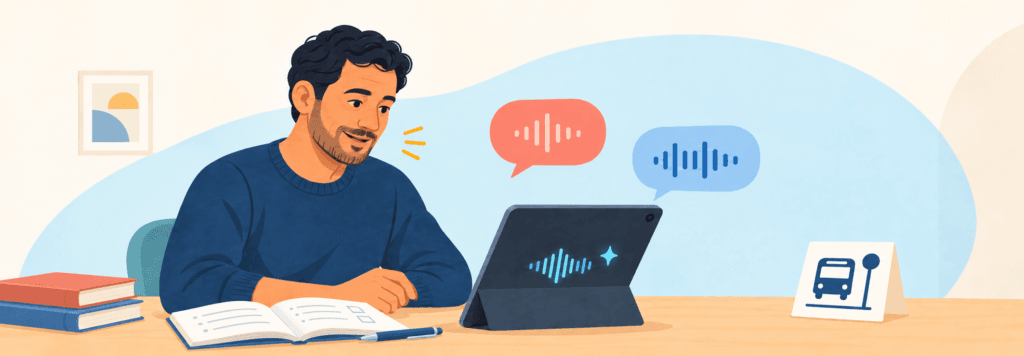
Adult beginners need simple English, but they do not need childish lessons.
An A1 learner may be a parent, nurse, mechanic, business owner, or newly arrived professional. The language may need to be basic; the topic should still respect the learner’s age, experience, and immediate goals.
AI can help teachers create relevant materials and give adults more private practice. But the tool must remain easy to use. A platform that requires complicated prompts, several accounts, or long written instructions can create a second learning problem before the English lesson even begins.
This guide evaluates five AI tools from the teacher’s perspective: what each tool contributes, which adults can use it independently, and how it fits classes, small groups, and private tutoring.
The Best Tools at a Glance
| Tool | Best for | Teacher or student use? | Main caution |
|---|---|---|---|
| Twee | Adult-appropriate A1/A2 lesson materials | Mainly teacher | Review level and answer keys |
| ChatGPT | Highly relevant custom materials | Mainly teacher | Open prompts can overwhelm beginners |
| EnglishCentral | Guided video, vocabulary, and speaking practice | Student with teacher direction | Platform navigation may require support |
| Gliglish | Short, low-pressure conversation rehearsal | Independent student | Not ideal for absolute beginners without preparation |
| ELSA Speak | Private pronunciation practice | Independent student | Scores are estimates, not teacher judgments |
What Adult Beginners Need
Before choosing a tool, distinguish three kinds of beginner.
- True beginners have little or no previous English. They need listening, gestures, pictures, repeated phrases, and predictable routines.
- False beginners studied English before but cannot use it comfortably. They often recognize written language and need activation through speaking.
- Beginning-literacy learners may be learning the Roman alphabet or developing literacy in any language. Text-heavy apps and written instructions can be a major barrier.
The same tool will not work equally well for all three. Teachers should also identify the learner’s immediate goal: work, transportation, healthcare, school communication, shopping, or everyday social interaction. Relevance is one of the biggest advantages AI can offer.
1. Twee: Best for Adult-Appropriate Beginner Materials
Twee includes A1 and A2 lesson materials filtered for adult learners, individual lessons, and group classes. Teachers can also generate dialogues, vocabulary tasks, questions, and role-plays around a chosen situation.
This is valuable when a coursebook’s beginner content feels childish or disconnected from students’ lives. A teacher can create a lesson about calling a doctor, reading a work schedule, introducing yourself to a neighbor, or asking a child’s teacher a simple question.
Best classroom use
Use Twee to prepare the material, then teach it through human interaction. For example:
- Play or model a short dialogue.
- Check meaning with pictures, objects, or gestures.
- Practise two or three useful chunks together.
- Let students substitute their own information.
- Finish with a pair role-play.
Twee works for a whole class, small group, or tutor because the teacher controls the final format. Students do not necessarily need individual accounts.
Limitation
A CEFR label does not guarantee that every word or instruction is suitable. Generated activities can also include too much text. Remove anything that does not directly support the lesson goal.
Best for
Teachers who need adult-looking A1/A2 materials without starting from a blank page.
2. ChatGPT: Best for Personally Relevant Materials
ChatGPT is useful when the lesson must reflect a particular learner’s real life. A private tutor can create a dialogue for a hotel employee. A community class can practise reading a bus notice. A workplace program can build vocabulary around the equipment students actually use.
A strong prompt describes the learner and limits the output.
The phrase “use no grammar explanation” matters. Chatbots often respond to beginners with long explanations that are harder than the target language.
Use ChatGPT mainly as a teacher preparation tool. True beginners should not be expected to manage open-ended prompts independently. False beginners and more digitally confident A2 learners can use carefully prepared chats with supervision.
Limitation
ChatGPT may produce unnatural dialogues, introduce too many new words, or misunderstand the learner’s context. Never include identifiable immigration, employment, medical, or family information in a personal account.
Best for
Teachers and tutors creating materials for a specific adult goal.
3. EnglishCentral: Best for Guided Video Practice
EnglishCentral organizes English learning around short videos. Students watch, work with vocabulary from the video, fill gaps, and speak selected lines with automated feedback. Beginner-level videos and courses are available.
Visual context is helpful for adults who cannot understand audio alone. Seeing the speaker, setting, and action gives meaning before the teacher translates or explains.
Best classroom use
- Whole class: Watch a very short clip together and answer one main-idea question.
- Small group: Replay selected lines and practise the useful phrases.
- Private tutoring: Assign a clip before class, then role-play the same situation with changed details.
Do not ask beginners to complete an entire video lesson alone on the first day. Demonstrate the Watch–Learn–Speak sequence and check that students know how to replay audio, open support, and submit work.
Limitation
Some adults have limited digital literacy or share devices. Video exercises can also become word-matching tasks unless the teacher brings the language back into conversation.
Best for
Adult learners who benefit from seeing and hearing short real-world English together.
4. Gliglish: Best for Low-Pressure Conversation Rehearsal
Gliglish lets learners speak with an AI partner, slow the speech, replay words, view translations, and receive suggestions for what to say next. Learners can ask questions in another language, which can lower the entry barrier for beginners.
For adult beginners, it works best after—not before—teacher preparation. A student who has already practised “I’d like…,” “How much is…?” and “Can you repeat that?” can rehearse a short shopping conversation without feeling judged.
Give a narrow assignment:
This is more achievable than “Have a conversation in English.”
Gliglish is best for false beginners and A2 learners. True beginners may not have enough language to manage even a slowed conversation without teacher support.
Limitation
AI conversations are patient and predictable. Success with an AI partner does not guarantee that a learner will understand a busy cashier or an unfamiliar accent.
Best for
Short homework rehearsal for adults who already know the target phrases.
5. ELSA Speak: Best for Private Pronunciation Practice
ELSA Speak provides models, recording practice, and automated feedback on pronunciation and speaking. It is designed for individual use and is generally better suited to adults and older learners than young children.
For beginners, avoid assigning a broad pronunciation course. Select a small number of words or phrases connected to the current lesson: an address, job title, workplace phrase, or sentence needed for an appointment.
A useful sequence is:
- Listen to the model.
- Notice one sound or stress pattern with the teacher.
- Record and listen back.
- Review the automated feedback.
- Try again.
- Use the phrase in a real dialogue.
The last step is essential. A high pronunciation score is not the final goal; being understood in communication is.
Limitation
Speech-recognition scores can be inconsistent and may favor particular pronunciation models. ELSA should support teacher feedback, not replace it.
Best for
Digitally confident adults who want private repetition between lessons.
Which Tool Fits Your Adult Beginner Class?
| Situation | Best starting point |
|---|---|
| Teacher needs a complete A1 lesson draft | Twee |
| Private student has a specific life or work goal | ChatGPT for teacher preparation |
| Students need visual listening input | EnglishCentral |
| False beginners freeze during simple conversation | Gliglish after classroom rehearsal |
| One learner needs focused pronunciation practice | ELSA Speak |
| Learners have limited literacy or digital skills | Teacher-led materials before individual apps |
A Simple Weekly Tool Routine
Adult beginners do not need a different app every day. One teacher tool and one optional student tool are usually enough.
- Prepare: Use Twee or ChatGPT to create one short, relevant situation.
- Teach: Introduce the language through listening, pictures, demonstration, and repetition.
- Practise: Use pairs and role-play before sending students to an app.
- Extend: Assign EnglishCentral, Gliglish, or ELSA only when students understand the task and can operate the tool.
- Return: Begin the next class by using the same language with a new person or detail.
If the app activity never returns to the classroom, it is easy for students to complete it without transferring the language to real communication.
What Not to Do with Adult Beginners
- Do not give adults children’s content simply because the language is easy.
- Do not introduce several tools during the first week.
- Do not rely on written instructions with beginning-literacy learners.
- Do not ask AI to correct every error while a learner is trying to speak.
- Do not confuse an app score with communicative ability.
- Do not enter sensitive personal details to make a lesson feel relevant.
Final Recommendation
Start with Twee when you want structured adult A1/A2 materials, or ChatGPT when the lesson must match a learner’s specific life. Add EnglishCentral for guided video practice. Use Gliglish for short conversation rehearsal and ELSA for focused pronunciation only when the learner can use the app independently.
The best AI setup for adult beginners is small and purposeful. AI prepares relevant material and creates extra practice; the teacher makes the language understandable, respectful, and usable in real life.
Official plan information: Twee · ChatGPT · EnglishCentral · Gliglish · ELSA Speak