
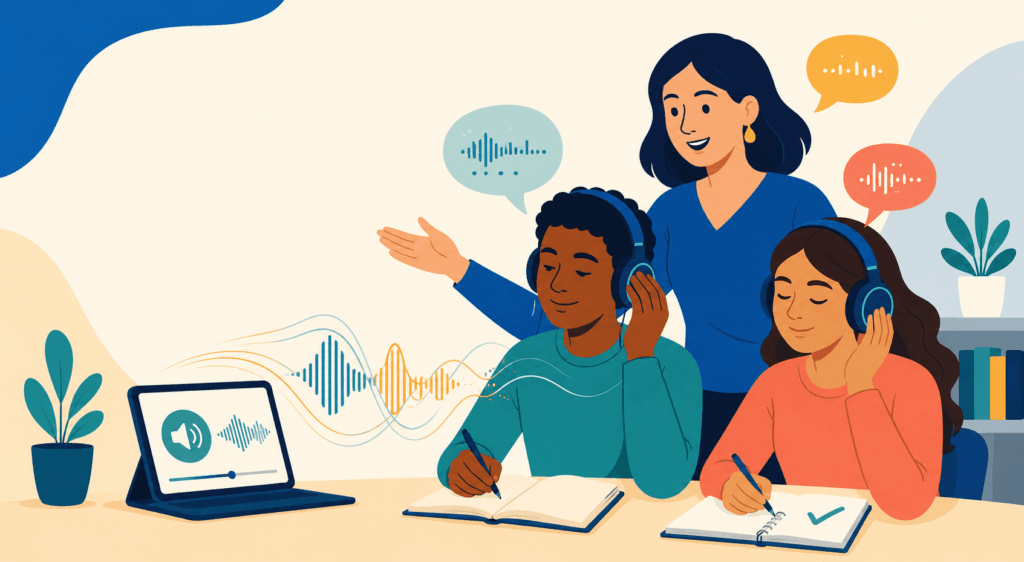
Listening practice needs more than audio. Students need a reason to listen, a way to check what they understood, and another opportunity to listen with better support.
That distinction matters when choosing an AI tool. A text-to-speech tool can create a recording, but it does not automatically create a good listening lesson. A transcription tool can show what was said, but it does not teach students how to understand spoken English.
The tools in this guide were selected from a teacher’s perspective:
- Can they be used with a class, small group, or private student?
- Do learners hear a clear model?
- Can the teacher control the level and task?
- Is there a meaningful response after listening?
The Best Tools at a Glance
| Tool | Best for | Teacher control | Student use |
|---|---|---|---|
| EnglishCentral | Ready-made video listening practice | Medium | Individual or assigned practice |
| Twee | Turning existing audio or video into a lesson | High | Whole class, groups, or assignments |
| to-teach.ai | Creating custom audio worksheets | High | Class, homework, or tutoring |
| ElevenLabs | Producing custom dialogues and recordings | Very high | Through teacher-created activities |
| ChatGPT Voice | Interactive listening and conversation | Medium | Older independent learners |
1. EnglishCentral: Best Ready-Made Listening Platform
EnglishCentral combines short videos with transcripts, vocabulary support, fill-in-the-blank activities, and speaking practice. Students watch and listen, work with language from the video, and repeat selected lines.
This makes it more useful than a general video library. The language stays connected to a speaker, situation, and visual context rather than becoming an isolated audio file.
Teachers can preview a short video with the whole class, assign different clips to groups, or use a video as preparation before a private lesson. It is most suitable for learners who can navigate a student platform independently. Younger children will need closer teacher guidance.
Limitation
Students may focus on filling blanks or earning scores rather than understanding the complete message. Add at least one meaning-focused question, such as:
What was the speaker trying to explain?
Best for
Teachers who want structured video practice without creating every listening activity themselves.
2. Twee: Best for Turning Audio or Video Into a Lesson
Twee is most useful when you already have a worthwhile audio clip, video, podcast excerpt, or YouTube video.
Go to Tools, select Listening, and choose the activity that matches your lesson stage:
- Warm-Up Discussion Questions Before Listening activates background knowledge.
- Choose the Right Summary checks the main idea after the first listening.
- Audio & Video Question Creator creates open-ended, multiple-choice, or true-or-false questions.
- Audio & Video Summary GapFill provides more focused listening practice.
- Convert Audio & Video to Text creates a transcript for checking difficult sections.
A simple lesson sequence could be:
- Generate two warm-up questions.
- Play the recording once and ask students to choose the correct summary.
- Play it again with comprehension questions or a gap-fill activity.
- Reveal the transcript only after students have attempted the listening task.
- Finish with a discussion, summary, or speaking response.
The teacher still needs to select the source, remove weak questions, and check the transcript and answer key.
Limitation
Many of Twee’s audio and video tools require a paid plan. Generated questions may also focus on minor details or include distractors that are too easy.
Best for
Teachers who want to build a complete listening lesson around a specific audio or video source.
3. to-teach.ai: Best for Custom Listening Worksheets
to-teach.ai is useful when you want to create the audio and student activity in one workflow.
Teachers can generate a Listening Comprehension worksheet from a topic or begin with their own text, audio file, or video content. They can then select an activity format:
- Multiple Choice for main ideas and important details
- True or False for checking specific information
- Fill-the-Gap for focused listening to words or phrases
- Questions with Sample Solutions for open comprehension
- Summary Assignment for listening followed by writing
The platform can also turn teacher-written text into a read-aloud passage, interview, or dialogue. Options may include voice, speed, accent, and different speakers.
For example, a teacher preparing a B1 job-interview lesson could:
- Create a short dialogue between an employer and an applicant.
- Convert it into audio with two voices.
- Add multiple-choice questions.
- Create a fill-the-gap task for a second listening.
- Share the digital worksheet or print it with a QR code.
- Finish with a pair interview.
This makes to-teach.ai practical for classroom teaching, homework, absent students, and private tutoring.
Limitation
Generated dialogues may sound too controlled and predictable. Teachers should check the pronunciation, voice, speaking speed, questions, and answer key before assigning the worksheet.
Synthetic recordings can support beginners, but students also need exposure to authentic speakers, connected speech, hesitation, and less predictable language.
Best for
Teachers who want customized audio, questions, and a shareable worksheet in one place.
4. ElevenLabs: Best for Creating Custom Audio
ElevenLabs is an AI voice platform rather than an educational platform. A teacher can write a dialogue, announcement, or short story, select voices, and generate a clear recording.
This is useful when available audio does not match the students’ age, level, topic, or context. For example, a teacher could create:
- An A1 pharmacy conversation
- A B1 workplace dialogue with two speakers
- A school announcement at two speeds
- A familiar story using target vocabulary
Listen to the entire recording before class. AI voices can mispronounce names, place stress unnaturally, or make every sentence sound equally polished.
ElevenLabs creates the recording, not the complete listening lesson. The teacher must add a purpose, questions, repeated listening, and a follow-up task.
Limitation
Synthetic speech should supplement rather than replace authentic human speech. Teachers should also avoid cloning a real person’s voice without clear permission.
Best for
Teachers who need original audio and want maximum control over the script, topic, voice, and difficulty.
5. ChatGPT Voice: Best for Interactive Listening
ChatGPT Voice allows learners to listen and respond during a live conversation. Students can ask it to repeat, slow down, rephrase, or continue a role-play.
Unlike a fixed recording, the learner must understand each response and decide what to say next. This makes it useful for conversational listening practice.
A teacher might assign this prompt:
The student can review the transcript afterward, identify what was difficult to understand, and repeat the conversation with a classmate.
ChatGPT Voice is generally more suitable for older teens and adults who can follow account, privacy, and classroom-use guidelines independently.
Limitation
AI conversation is often more cooperative and predictable than human conversation. It may also misunderstand a learner’s speech or provide inaccurate language feedback.
Best for
Private lessons, device-supported small groups, and older learners who need interactive listening and response practice.
Which Tool Fits Your Teaching Context?
| Teaching context | Best starting point | Why |
|---|---|---|
| Whole class with one screen | Twee or to-teach.ai | The teacher controls the audio and task |
| Computer lab or individual devices | EnglishCentral | Students can work at their own pace |
| Small group | Twee or ChatGPT Voice | Supports collaborative listening and response |
| Private tutoring | EnglishCentral or ChatGPT Voice | Easy to assign and discuss individually |
| Teacher needs original audio | ElevenLabs | Greater control over the script and voice |
| Young learners | Teacher-led Twee or to-teach.ai activity | Requires less independent account use |
A Better Listening Sequence
Whichever tool you choose, avoid beginning with the complete transcript. A stronger sequence is:
- Prepare: Introduce the situation and only the vocabulary students truly need.
- First listen: Ask for the main idea, speaker relationship, or purpose.
- Second listen: Give a focused task involving details, sequence, or inference.
- Check: Let students compare answers.
- Notice: Reveal the transcript and replay short, difficult sections.
- Respond: End with speaking, writing, role-play, or a decision based on what students heard.
AI can generate audio and questions. It cannot decide which listening challenge your students are ready for or which response will make the listening meaningful.
Final Recommendation
Choose EnglishCentral when you want ready-made student practice.
Choose Twee when you already have a strong audio or video source and want to turn it into a structured lesson.
Choose to-teach.ai when you want to create customized audio and a digital or printable worksheet together.
Choose ElevenLabs when the missing piece is the recording itself.
Use ChatGPT Voice with older learners who need interactive listening and response practice.
The best listening tool is not necessarily the one with the most realistic voice or the longest feature list. It is the one that helps students listen with a purpose, check their understanding, notice what they missed, and respond meaningfully.
Before choosing a paid plan, check the current pricing and feature limits on the official pages for EnglishCentral, Twee, to-teach.ai, ElevenLabs, and ChatGPT.